Built on the AI Automation Agency Portal template
Client portal for AI automation agencies
Show clients what is live, what needs attention, and what shipped — without exposing the Notion ops board your team uses to build and monitor automations.
Free forever • Up to 3 clients • No credit card
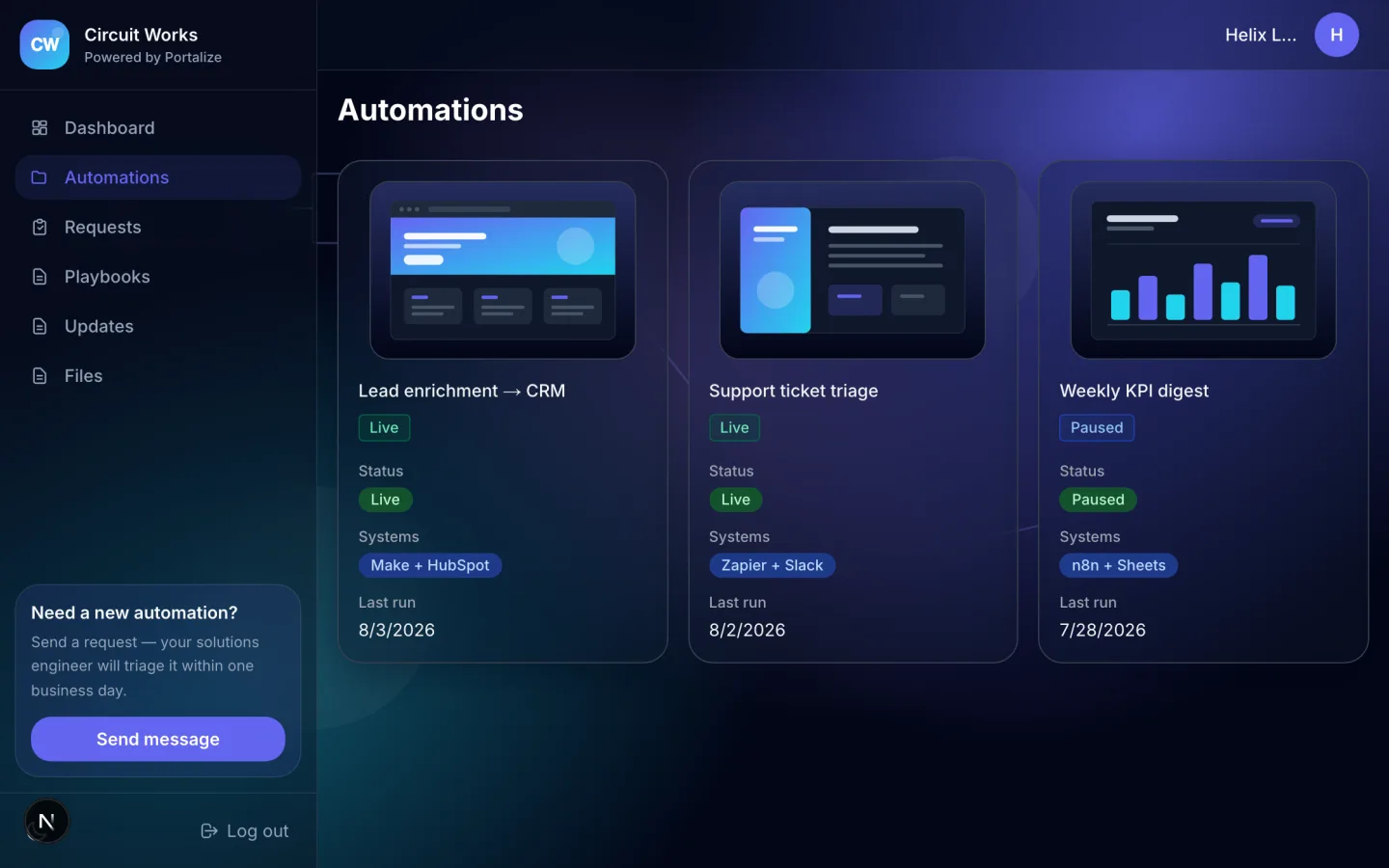
What clients see in the portal
- Automations
- Requests
- Playbooks
- Status updates
- Files
The usual mess
- Clients cannot tell whether a workflow is live, paused, or waiting on access.
- New automation requests disappear across Slack, email, and meeting notes.
- Run notes and playbooks sit in an internal Notion board clients should not browse.
With Portalize
- Each client sees only their workflows, requests, and implementation notes.
- A structured request queue replaces scattered “could you automate this?” messages.
- Playbooks and status updates make the value of the retainer visible between calls.
How it works
- 1
Start from the template
Use AI Automation Agency Portal as the portal shape — views and sample structure are ready.
- 2
Connect your Notion databases
Map campaigns, projects, or onboarding lists you already maintain. Notion stays the source of truth.
- 3
Invite clients with magic links
Each client gets a scoped login. No Notion account, no guest seats burned.
Frequently asked questions
What should an AI automation agency client portal include?
Start with live automations, a request queue, implementation playbooks, status updates, and shared files. The AI Automation Agency Portal template includes all five views.
Does Portalize run or monitor the automations?
No. Portalize is the client-facing layer on your Notion workspace. Your automation platform keeps running the workflows; your Notion databases hold the client-safe status and documentation shown in the portal.
Can each client see only their own workflows?
Yes. Portalize scopes Notion rows by client identity on the server before returning portal data.
See the AI Automation Agency Portal live
Click through the interactive preview, then start free with the same template structure mapped to your Notion.